More Work Station Manufacturers
Workstations
A workstation is a specialized workspace or surface designed to support professionals in assembling components, performing repairs, conducting research, and handling a wide range of essential job functions. In the manufacturing, industrial, and commercial sectors, the terms “workstation” and “workbench” are often used interchangeably. However, while both refer to areas where work is performed, there are subtle yet significant differences between them that are important to understand, especially if you are researching workstation solutions for your organization.
Technically, a workstation refers to an entire workspace setup, encompassing assembly tables, ergonomic chairs, storage benches, shelving racks, laminar flow benches, clean room work benches, and office tables. In contrast, a workbench more commonly designates the primary work surface—such as assembly tables, laboratory tables, and storage tables—rather than the entire workspace ecosystem. It’s important to note that, in this context, industrial workbenches and workstations exclude benches intended for woodworking or hobbyist use.
In broader commercial and manufacturing communities, “workstations” can refer to:
- Integrated home, school, or office furniture and computer workstations
- CPU holders, IT furniture, and technical desk systems
- Powerful computers and IT solutions for professional software users and IT administrators
This diversity of definitions is critical when evaluating workstation manufacturers and suppliers for your business.
Applications
Workstations are essential across numerous industries, each with distinct requirements and operational needs. They are engineered to improve organization, increase accessibility, reduce worker fatigue, and create ergonomic, safe, and efficient work environments. If you are exploring options, consider what type of workstation best matches your industry’s application:
-
Industrial Manufacturing:
Industrial workstations are fundamental to assembly lines and production environments. Equipped with integrated tool storage, fixtures, adjustment features, and conveyor solutions, they streamline assembly, inspection, and packaging processes. Looking for industrial workbenches that increase throughput and lean efficiency? Explore modular and ergonomic options tailored for manufacturing. -
Shipping and Packaging:
Packing tables and shipping workstations are vital for sorting, labeling, and preparing goods for distribution. These stations often feature adjustable heights, ergonomic layouts, and specialized accessories to maximize productivity and minimize repetitive strain injuries. -
Office and IT Environments:
Office workstations and computer desks are designed for administrative tasks, data entry, programming, and collaborative work. They typically include cable management, monitor arms, keyboard trays, and accessories for optimal comfort and organization. -
Cleanroom Research and Laboratories:
Laboratory workbenches and cleanroom workstations are constructed from materials that minimize particle contamination and meet rigorous industry standards. These are essential for controlled environments in pharmaceuticals, biotechnology, electronics, and scientific research. -
Education:
Classroom workstations and computer lab stations support student collaboration, technology-driven learning, and research activities. Customizable configurations enable seamless group work and individual study. -
Medical and Laboratory Fields:
Medical workstations facilitate clinical data analysis, specimen processing, and equipment management. These are designed to comply with hygiene, safety, and regulatory standards in healthcare and life sciences. -
Engineering and Drafting:
Engineering workstations with powerful computers, ergonomic seating, and drafting tables are essential for CAD, modeling, and design professionals. Integration with specialized software boosts productivity and design accuracy. -
Software Development:
Developers and IT professionals rely on multi-monitor workstations with high-performance processors, ample RAM, and ergonomic layouts for coding, debugging, and testing complex applications. -
Automotive Industry:
Automotive workstations support vehicle assembly, repair, diagnostics, and maintenance. These stations often include heavy-duty surfaces, integrated lifts, and specialized tool storage. -
Foodservice Industry:
Food preparation workstations in commercial kitchens provide hygienic, easy-to-clean surfaces—often stainless steel—and ample storage for utensils and ingredients. They are designed for compliance with food safety regulations and to streamline kitchen workflows.
These examples demonstrate how customizable workstations can be tailored to meet the unique requirements of each sector. Whether you need ergonomic computer workstations, industrial assembly benches, or cleanroom laboratory tables, there is a solution built for your specific application. Need help finding the right workstation for your workflow? Browse our directory of workstation manufacturers or contact our experts for personalized recommendations.
History
The evolution of workstations and workbenches is deeply intertwined with the history of craftsmanship, industry, and technology. The earliest workstations can be traced back to ancient civilizations, with Romans in 50 A.D. using simple, low benches for seated work. Innovative developments emerged in the 17th and 18th centuries, particularly with the French “French workbench,” which introduced stops for holding materials.
Before the Industrial Revolution, most workstations served artisans for woodworking, food preparation, and other crafts. The rise of industrialization led to significant changes—workstations became specialized for machine assembly, metalworking, and large-scale manufacturing. The 20th century ushered in ergonomic advances, with modern workstations designed for user comfort, safety, and efficiency. Today, ergonomic workstations and modular workbenches continue to evolve, integrating technology and adaptable features to support a dynamic workforce.
Want to learn more about how workstation design has changed over time? Explore our history of industrial workbenches and workstation innovation.
Types of Workstations
Modern workstations are available in a wide array of types, each catering to specific use cases. Understanding the differences can help you choose the right solution for your business, laboratory, or facility.
Packaging Table
A packaging table, or packing table, is engineered for preparing goods for shipment or distribution. Key features include adjustable heights, integrated scales, document holders, and ergonomic accessories. Packaging tables are essential for e-commerce, retail, and fulfillment centers aiming to boost throughput and reduce worker fatigue.
Modular Workstation
A modular workstation comprises interlocking, customizable components—such as shelving, bins, drawers, and work surfaces—that can be rearranged to fit changing needs. These solutions are ideal for expanding businesses, growing teams, and facilities seeking flexibility. Are you looking to future-proof your workspace? Modular workstations allow you to adapt layouts as your requirements evolve.
Mobile Workstation
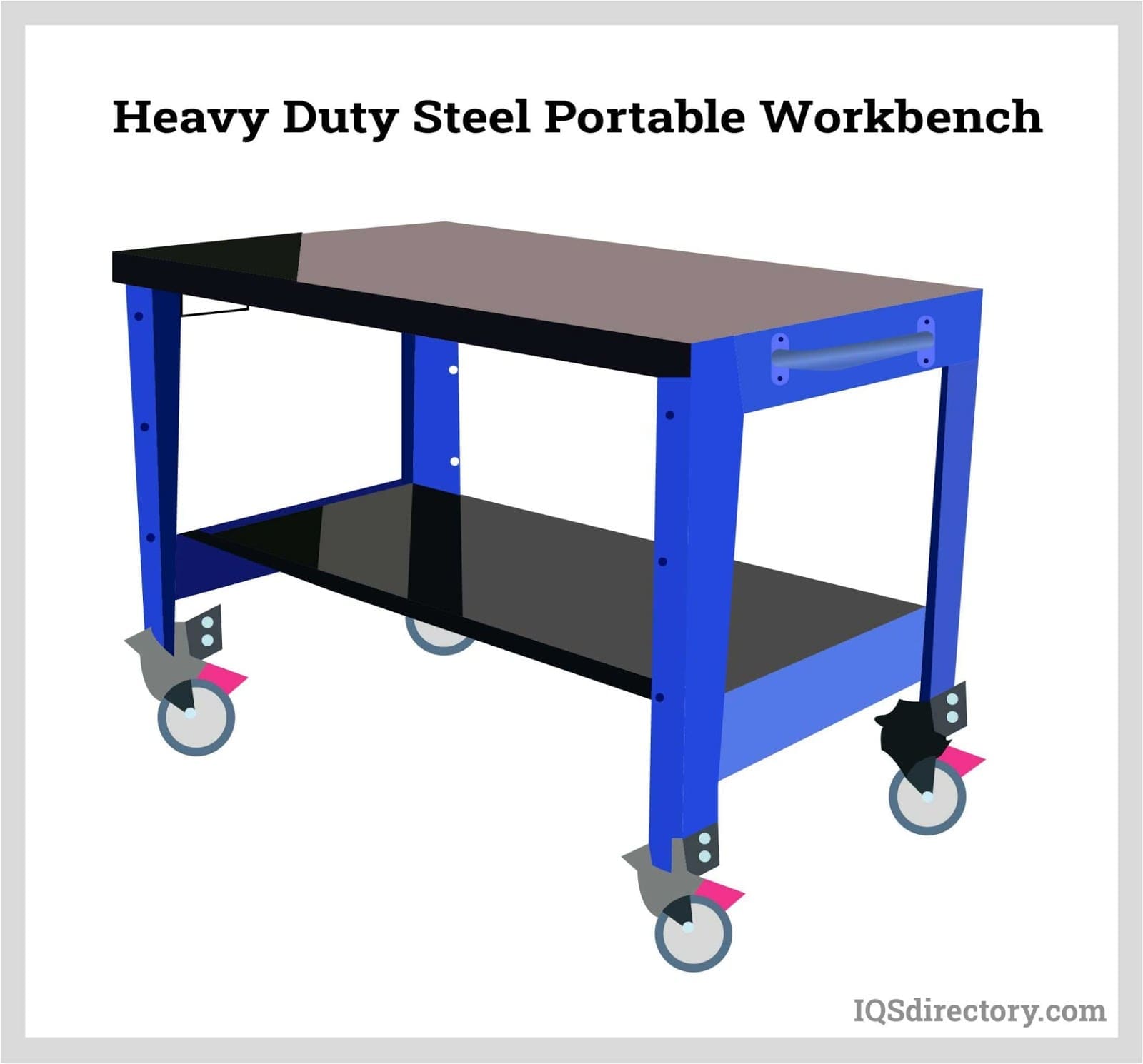
Mobile workstations are equipped with heavy-duty casters or wheels, enabling users to easily relocate them as needed. Safety features include locking mechanisms and anti-tip designs. With full-featured surfaces and storage, mobile workbenches are perfect for dynamic environments such as repair shops, healthcare facilities, and warehouses.
Industrial Workstation
An industrial workbench is a robust table engineered for challenging environments—manufacturing plants, automotive shops, and heavy equipment repair facilities. Features include welded steel or stainless-steel frames, adjustable shelving, lockable drawers, and reinforced surfaces. Industrial workstations are built to withstand harsh conditions and heavy loads.
Heavy Duty Workbench
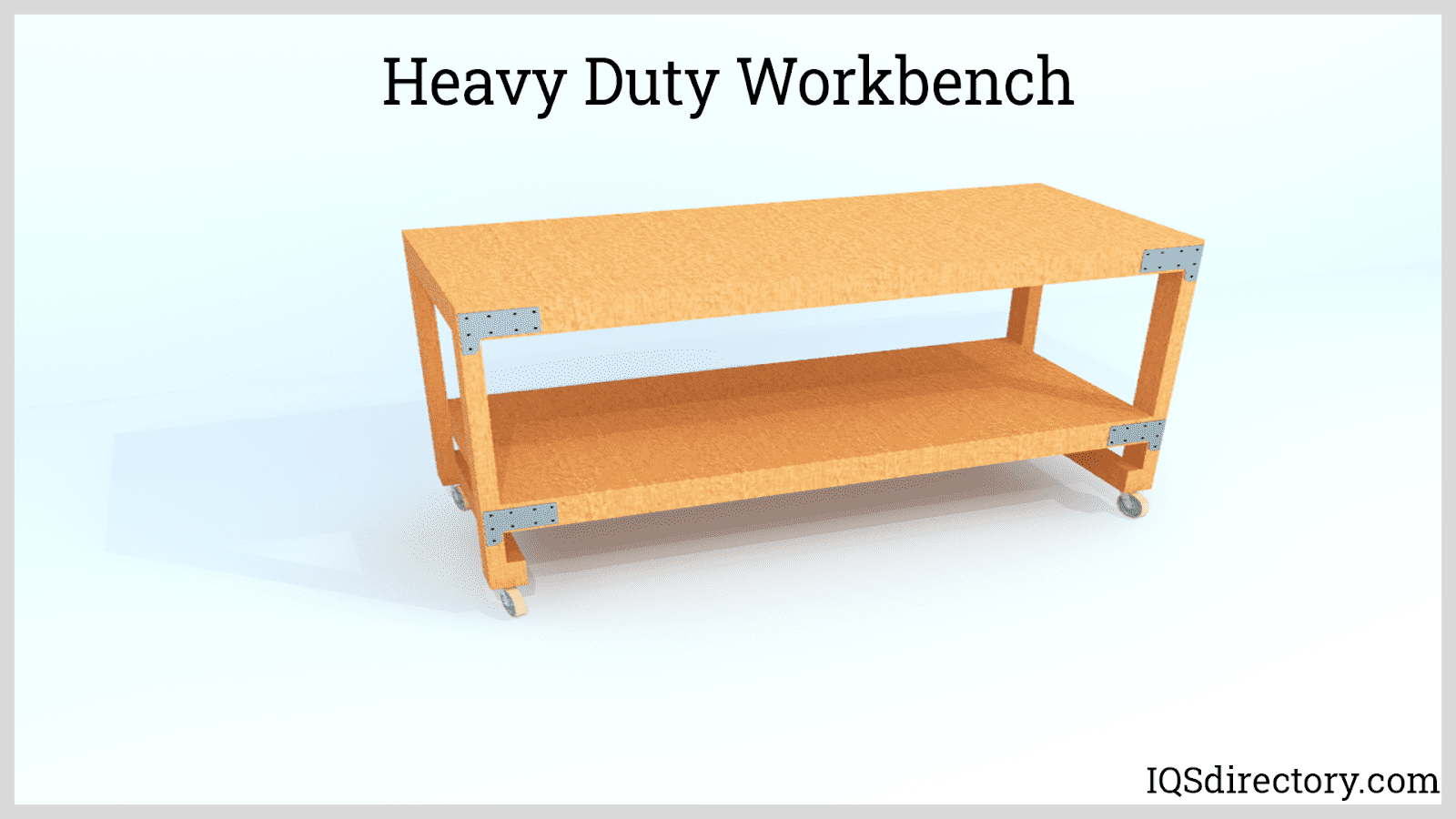
A heavy-duty workbench offers unparalleled strength and durability, supporting thousands of pounds without deformation. These benches are the backbone of metal fabrication shops, machine shops, welding stations, and auto repair centers. They often include integrated vises, power strips, and tool organizers to maximize functionality.
Laboratory Workbench
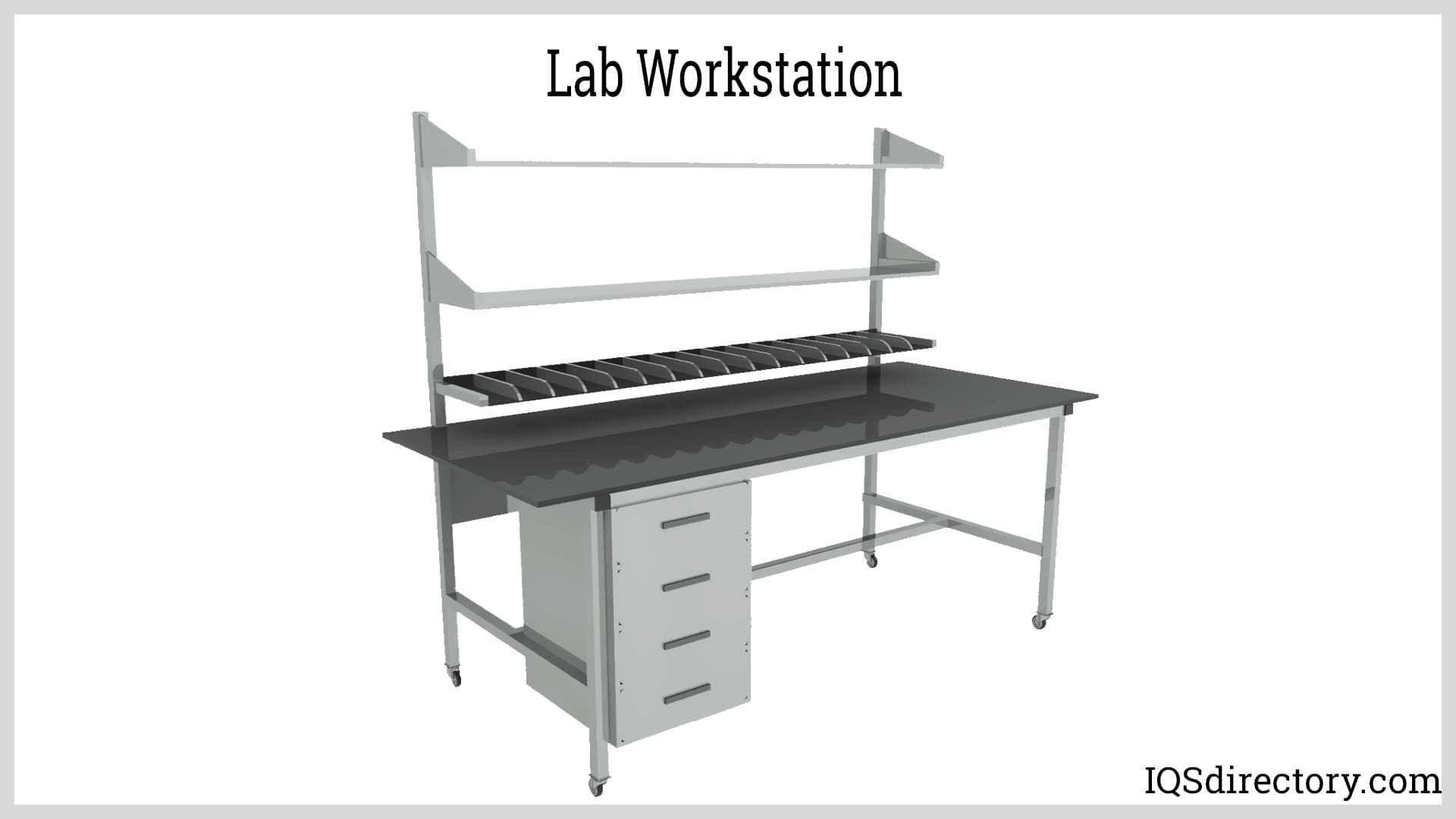
Lab workbenches are purpose-built for scientific research, chemical analysis, and educational labs. Featuring chemically resistant surfaces, built-in sinks, gas valves, and fume hoods, lab benches ensure a safe and efficient workspace for researchers, technicians, and students.
Computer Workbench
Computer workbenches are specialized desks designed for IT professionals, students, and office workers. These workstations accommodate PCs, servers, monitors, keyboards, cable management solutions, and often include ESD (electrostatic discharge) protection for sensitive electronic equipment.
Command Operating Center
A command operating center is a comprehensive workstation for IT, emergency response, network monitoring, or security operations. Designed for high-density equipment integration, these centers offer easy access to computers, multiple monitors, communication devices, and control systems.
Workstation Equipment Components
A modern workstation system comprises not just a tabletop but a suite of components that enhance productivity, safety, and ergonomics. Typical features include:
- Adjustable and lockable drawers for secure tool and supply storage
- Modular shelving (freestanding, bottom-mounted, overhead, or pull-out)
- Overhead and under-shelf LED lighting for task illumination
- Power outlets, surge protectors, and integrated cable management
- Locks, handles, and rolling casters for security and mobility
- Footrests, privacy panels, keyboard trays, and CPU holders
- Specialized accessories: ESD mats, task lighting, monitor arms, and more
Curious about which workstation components will maximize your team’s efficiency? Use our workstation supplier directory to compare available configurations and accessories.
Benefits of Modern Workstations
Investing in high-quality, well-designed workstations provides a host of measurable benefits across nearly every industry:
Enhanced Productivity
A thoughtfully organized workstation ensures that tools, equipment, and materials are always within reach. This reduces wasted time and supports focused, efficient work. Features such as labeled storage, tool rails, and integrated technology foster streamlined workflows and minimize distractions.
Improved Ergonomics
Ergonomically designed workstations help prevent musculoskeletal injuries and boost worker comfort. Adjustable chairs, sit-stand desks, articulating monitor arms, and anti-fatigue mats reduce strain and fatigue. Ergonomic workstations are proven to decrease absenteeism and increase job satisfaction.
Task-Specific Customization
Workstations can be customized with specialized equipment, such as ESD protection for electronics, chemical-resistant surfaces for laboratories, or antimicrobial coatings for medical and foodservice environments. Customization ensures that each workspace is optimized for its intended use.
Organization and Space Optimization
With efficient storage solutions—drawers, bins, shelves, and pegboards—workstations maximize space utilization and keep environments clutter-free. Organized work areas also promote safety, reducing the risk of accidents and misplaced items.
Flexibility and Adaptability
Modular and adjustable workstations can be reconfigured as team sizes, technologies, or workflows change. This adaptability ensures long-term usability and helps businesses scale their operations without costly renovations.
Safety and Regulatory Compliance
Industry-specific workstations are built to meet health, safety, and regulatory standards. For example, cleanroom workstations are designed to prevent contamination; food prep tables meet FDA and NSF requirements; electrical assembly benches are certified for fire and electrical safety.
Collaboration and Communication
Open-plan workstation layouts and shared collaborative spaces enhance communication and teamwork. Integrated technology, shared displays, and flexible seating arrangements foster innovation and problem-solving.
In summary, why choose a modern workstation solution? Because they offer enhanced productivity, improved ergonomics, industry-specific customization, optimal organization, adaptability, and compliance—all contributing to a safer, more effective workplace.
How to Use Workstations Effectively
Optimizing workstation usage goes beyond simply sitting down and working. Here’s how to maximize the benefits of your investment and create a productive, ergonomic, and safe environment:
Maintain Proper Posture
Sit upright, ensure lumbar support, and keep your feet flat on the floor or a footrest. Adjust the chair and workstation height so your knees are at a 90-degree angle and elbows are close to your body. Good posture minimizes fatigue and reduces injury risk.
Monitor and Screen Placement
Position monitors directly in front of you at eye level, with the top of the screen at or just below eye height. Maintain an arm’s length between your eyes and the screen to prevent neck and eye strain.
Organize Tools and Equipment
Arrange frequently used items—pens, notepads, tools—within easy reach. Use desk organizers, drawer dividers, and pegboards to keep everything accessible and clutter-free.
Use Ergonomic Accessories
Consider adding wrist rests, monitor stands, anti-fatigue mats, or adjustable keyboard trays to further enhance comfort and support natural movement.
Take Regular Breaks
Short, frequent breaks help prevent repetitive strain injuries and boost circulation. Stand up, stretch, and rest your eyes periodically throughout the day.
Keep the Workstation Clean and Organized
Regularly clean and declutter your workstation. Tidy cable management and proper storage not only improve aesthetics but also contribute to a safer work environment.
Customize Your Setup
Tailor your workstation to your tasks and physical requirements. Adjustable-height desks, modular components, and custom accessories can drastically improve comfort and productivity.
Ensure Optimal Lighting
Proper lighting is crucial for reducing eye strain and maintaining focus. Where possible, use natural light and supplement with task lighting or LED fixtures.
Practice Healthy Work Habits
Incorporate movement into your workday, such as walking or stretching, and use time management techniques to stay organized and productive.
Consult with Professionals
If you have specific ergonomic or health concerns, consult with an occupational health professional or ergonomic specialist to optimize your setup.
Need a step-by-step guide for setting up your workstation? Contact our experts or visit our knowledge base for workstation setup checklists and ergonomic tips.
Design, Materials, and Customization Options
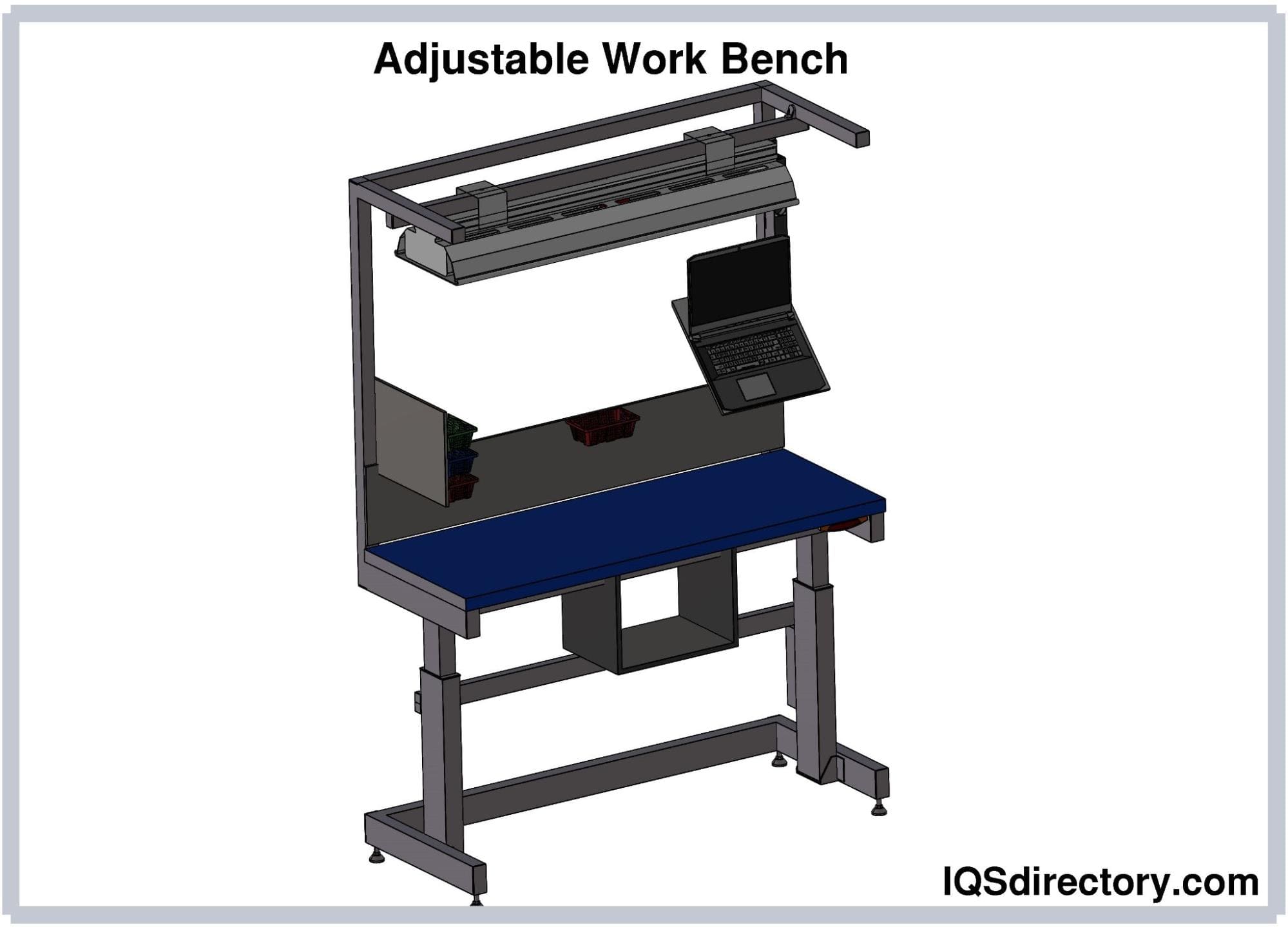
Workstation and workbench manufacturers utilize a variety of construction techniques—partial welding, full welding, and modular assembly—to balance strength, durability, and flexibility. For heavy-duty industrial workstations, full or partial welding (sometimes using precision laser welding) delivers maximum structural integrity. Modular, on-site assembly is ideal for lighter-duty or rapidly changing environments.
Common workstation materials include:
- Steel and stainless steel (for heavy-duty, corrosion-resistant frames and surfaces)
- High-density polyethylene (HDPE) and heavy-duty plastic (for lightweight, chemical-resistant benches)
- Edge-grained maple and composite resin wood (for durability and aesthetics in light- to medium-duty settings)
- Epoxy resin, PVC-edged laminate, and self-edged laminate (for laboratory and cleanroom use)
- Electrostatic dissipative (ESD) laminate (for electronics assembly and repair)
- Chemical-resistant laminate (for laboratory, pharmaceutical, and medical applications)
Customization options include adjustable heights, integrated power and data ports, custom paint or sealant coatings, corner configurations, and specialized accessories. Manufacturers can tailor workstations to fit unique spaces, user heights, or specialized workflows. Are you seeking a custom workstation for your facility? Submit your requirements through our RFQ form for tailored manufacturer quotes.
Safety and Compliance Standards
Workstations must meet rigorous health, safety, and compliance standards to ensure the well-being of employees and compliance with industry regulations. Key considerations include:
- Ergonomic design principles for injury prevention
- Fire safety and electrical safety standards (IEC, NEC, OSHA)
- Load capacity, stability, and structural integrity
- Contamination control for cleanrooms and laboratories
- FDA, NSF, and antimicrobial certifications for medical and foodservice environments
- Military specifications (Mil-Specs) for defense applications
It’s essential to consult local regulations, industry-specific best practices, and safety authorities when specifying or procuring workstations. Do you need help navigating workstation compliance requirements? Our experienced suppliers can guide you through certification and regulatory considerations.
Workstation Buyer’s Guide: Key Considerations
Choosing the right workstation begins with a clear understanding of your unique needs and operational goals. Ask yourself the following:
- What is the maximum load capacity required?
- Do I need specialty surfaces (chemical resistance, ESD, antimicrobial)?
- What are the dimensions of my available space?
- What is my budget and timeline?
- Is the workstation for sitting, standing, or both?
- Will the workstation be stationary or mobile?
- What industry-specific certifications are needed?
- Will I require future expansion or reconfiguration?
With a wide range of workstation options available—standard, modular, mobile, heavy-duty, ergonomic, laboratory, and more—it’s important to compare features, quality, and price. How do you evaluate and select the best workstation manufacturer? Start by reviewing company profiles in our workstation manufacturer directory. Shortlist three or four suppliers, discuss your needs, request custom quotes, and compare their solutions.
Looking for tips on streamlining your workstation procurement process? Use our patented website previewer and RFQ tools to quickly gather information and communicate with multiple suppliers at once.
Choosing the Right Workstation Manufacturer
Achieving the best results when purchasing workstations requires thoughtful comparison among reputable workstation manufacturers. Our directory enables you to:
- Access detailed business profile pages highlighting manufacturing capabilities, product lines, and industry experience
- Use contact forms for direct inquiries, technical questions, or quote requests
- Leverage our website previewer to evaluate company specialties and product portfolios
- Submit a single RFQ (request for quote) to multiple businesses for efficient comparison
Ready to start your workstation project? Visit our workstation manufacturer listings to find the right partner, or contact us for personalized assistance in selecting, designing, and customizing your next workstation solution.
By leveraging the information and prompts above, you can confidently navigate the workstation market—whether you are outfitting a new facility, upgrading existing workbenches, or seeking specialized solutions for industrial, laboratory, office, or technical environments. The right workstation will transform your workspace, optimize productivity, and ensure compliance for years to come.
What is the difference between a workstation and a workbench?
A workstation refers to an entire workspace setup, including tables, chairs, storage, and accessories, while a workbench typically designates the main work surface such as assembly tables or laboratory tables. Workstations are more comprehensive in scope, whereas workbenches focus on the primary surface for tasks.
Which industries commonly use workstations, and for what applications?
Workstations are used in industrial manufacturing (assembly, inspection, packaging), shipping and packaging (sorting and labeling), office and IT (administrative work, programming), laboratories and cleanrooms (research, analysis), education (student workstations), medical fields (specimen processing), engineering (CAD, design), software development, automotive (assembly, diagnostics), and foodservice (preparation and compliance with safety standards).
What are the key types of modern workstations?
Key workstation types include packaging tables, modular workstations, mobile workstations, industrial workbenches, heavy-duty workbenches, laboratory workbenches, computer workbenches, and command operating centers. Each type is designed for specific applications and environments, offering unique features like mobility, adjustability, durability, or specialized components.
What are the primary benefits of investing in a modern workstation?
Modern workstations enhance productivity, improve ergonomics, allow for task-specific customization, optimize organization and space usage, provide flexibility and adaptability, ensure safety and regulatory compliance, and support collaboration. These benefits increase overall efficiency and worker well-being across various industries.
What features and components are common in high-quality workstation systems?
High-quality workstations often include adjustable and lockable drawers, modular shelving, task lighting, power outlets and cable management, security features, mobility elements like casters, ergonomic accessories such as footrests and keyboard trays, and specialized items like ESD mats and monitor arms.
How do you choose the right workstation for your facility or application?
Choosing the right workstation involves assessing load capacity, required specialty surfaces, available space, budget, ergonomic needs, mobility requirements, necessary certifications, and plans for future reconfiguration. Comparing manufacturer options, features, and customizations is also important to ensure the best fit for your needs.
What materials and customization options do workstation manufacturers offer?
Manufacturers use materials like steel, stainless steel, high-density polyethylene, resin wood, epoxy resin, ESD laminate, and chemical-resistant laminate. Customization options include adjustable heights, integrated power and data ports, custom coatings, unique configurations, and specialized accessories to suit specific industries and user preferences.
What safety and compliance considerations are important when purchasing a workstation?
Workstations should meet ergonomic, fire, and electrical safety standards; support proper load capacity and structural stability; control contamination in cleanrooms and labs; comply with FDA, NSF, and antimicrobial requirements for medical and foodservice environments; and adhere to industry and military specifications as needed. Consulting relevant regulations and standards is critical during procurement.

 55 Gallon Drums
 Floor Gratings
 Mezzanines
 Modular Buildings
 Plastic Containers
 Plastic Pallets
 Plastic Tanks
 Steel Shelving
 Stainless Steel Tanks
 Storage Racks
 Work Benches
 Castings & Forgings
 Bulk Material Handling
 Electrical & Electronic Components
 Flow Instrumentation
 Hardware
 Material Handling Equipment
 Metal Cutting Services
 Metal Forming Services
 Metal Suppliers
 Motion Control Products
 Plant & Facility Equipment
 Plant & Facility Supplies
 Plastic Molding Processes
 Pumps & Valves
 Recycling Equipment
 Rubber Products & Services